Ragdoll Frenzy tools fall into three practical groups: items you can pick up and move, close-range weapons, and throwable weapons or objects. Start with Grab when you need to position a ragdoll or a scene object, use the Axe when you want a demonstrated cutting test, and choose a listed weapon such as the Golf Club, Hunting Spear, or Knife when you want to compare different attack styles. The game does not provide a reliable public table of damage numbers, durability, unlocks, or exact spawn points, so treat the guide below as a selection reference rather than a fixed loadout list.
Ragdoll Frenzy tools at a glance
The table separates what each item is for from what is still unknown. “Confirmed” means the available game material directly demonstrates the interaction or explicitly lists the weapon category. A dash means that the public information does not establish a dependable value, not that the item cannot be used.
| Tool or object | Best use | How to access | What to keep in mind |
|---|---|---|---|
| Axe | Close-range cutting and heavy head or body-part tests | Find it in the scene and pick it up | No reliable damage values, durability, or fixed spawn point |
| Barrel | Carry, place, or throw a scene object | Find it in the scene and use Grab | Its exact damage and special effects are not confirmed |
| Grab | Pick up, drag, place, or throw ragdolls and objects | Move close enough for the interaction to respond | Targets outside the usable range may not respond |
| Golf Club | Close-range head-damage test | The weapon list confirms the category; exact access is not stated | Use the current scene to verify availability |
| Hunting Spear | Head and limb attacks | The weapon list confirms the category; exact access is not stated | Do not assume the Axe's cutting behavior |
| Knife | Close-range stabbing aimed at the head or back | The weapon list confirms the category; exact access is not stated | The pickup location and control are not confirmed |
| Brick | Blunt throw or hand-held impact | The object is listed as throwable; exact access is not stated | No damage value is provided |
| Throwing Knives | More distant, precise attacks | The weapon list confirms the category; exact access is not stated | Ammo and replenishment rules are not confirmed |
Use the rows as a decision aid. If the goal is to move a target, begin with Grab and follow the Ragdolls setup guide for a stable subject. If the goal is to observe a close-range reaction, use a melee item. If the goal is to test collision or distance, begin with a Barrel or Brick rather than treating every object as a weapon with a known damage value.
What Grab does for every tool test
Grab is the foundation of the Tools menu because it changes where the experiment happens. Move close to a ragdoll or scene object, activate the grab interaction, and use the resulting control to lift, drag, place, or throw the target. The controls guide identifies grabbing as a core interaction, and the available demonstrations show that distance matters: an object that is too far away may not respond.
Use Grab to position Ragdoll Frenzy test targets
This moment supports the Grab-based positioning and interaction described in this section.

That makes positioning the first decision, not an afterthought. Put the ragdoll on the ground before testing a melee weapon, hold a barrel near the target before throwing it, or move the target toward a contraption or hazard when the experiment is about another system. If nothing happens, step closer and try the interaction again before deciding that the object is unusable.
Grab also helps keep comparisons consistent. Place two ragdolls in similar positions, use the same approach distance, and change only the tool. This can show different physical reactions without claiming that the game exposes exact damage totals. The public material does not confirm a durability meter, inventory system, or unlock requirement for the grab interaction or the listed objects.
Close-range tools and weapons
Axe
The Axe is the clearest directly demonstrated tool in this group. The available gameplay description shows it being used at close range to chop off a ragdoll’s head and cut body parts. That makes it a strong choice for a visible cutting test: position the ragdoll with Grab, keep the target within reach, and attack the intended body area.
Pick up objects and test the Axe on ragdolls
These linked moments support the Barrel pickup behavior and the Axe cutting test described in the Tools guide.
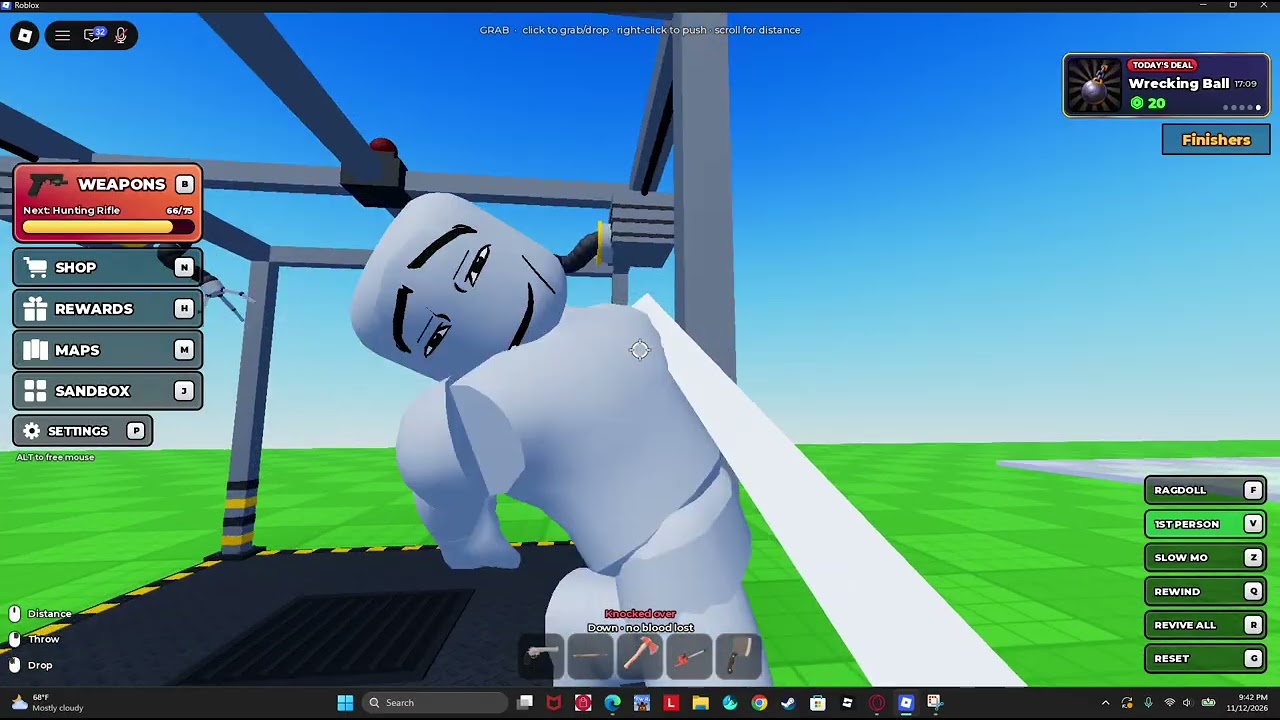
Do not turn that demonstration into an unsupported damage formula. There is no reliable public value for damage, attack speed, durability, or a guaranteed spawn location. If the Axe is not where you expect, search the current scene rather than relying on a fixed location stated elsewhere.
Golf Club
The Golf Club is listed as a melee weapon associated with close-range head damage. It is therefore a useful comparison against the Axe when the question is how a blunt melee hit differs from a cutting interaction. The available listing does not establish where to pick it up, which control activates it, or whether it has a separate strength or durability value.
Use the Golf Club as a category reference, then verify its availability in the current game space. Keep the conclusion narrow: a head-focused melee test is supported, while exact damage and a guaranteed result are not.
Hunting Spear
The Hunting Spear is listed as a melee weapon for attacks against the head and limbs, with possible limb-removal behavior. It belongs beside the Axe in a body-part comparison, but it should not be described as another Axe. The available record distinguishes the spear’s attack role from the Axe’s demonstrated chopping behavior.
For a controlled test, position the ragdoll first and target one body area at a time. Because the public material does not confirm its spawn point or detailed behavior in every situation, use the current scene and the result you can observe rather than assuming every listed effect will occur identically.
Knife
The Knife is a close-range stabbing tool listed for attacks aimed at the head or back. Its role is different from both the Axe’s cutting demonstration and the Hunting Spear’s head-and-limb listing. The pickup location, exact control, damage, and any body-part result are not established by the available evidence.
That makes the Knife most useful when you want a short-range attack comparison, not when you need a guaranteed outcome. Record what changes in the current session without presenting an observed reaction as a universal stat.
Throwable objects and ranged choices
Barrel
The Barrel is a confirmed pickup object. The gameplay material explicitly identifies it as something that can be picked up, so use Grab to move it, place it, or throw it toward a ragdoll. It is a practical starting point for testing collision, knockdown, and physics feedback.
The evidence does not establish a fixed damage amount or special effect for the Barrel. If it hits differently after a change in position, angle, or momentum, describe that as the observed physical result rather than a documented weapon statistic. The exact place where a Barrel appears can also vary or remain unconfirmed, so search the active scene.
Brick
The Brick is listed as a throwable or hand-held blunt object. It is a natural alternative to the Barrel when the experiment is about a smaller impact object, but no public damage number, spawn point, or special effect is supplied. Use it as an object category, not as a guaranteed high-damage weapon.
Throwing Knives
Throwing Knives are listed separately from the ordinary Knife because their role is more distant and precise. The listing associates them with ranged attacks and stronger head-hit potential. It does not confirm ammunition capacity, replenishment, pickup location, or a fixed result for every hit.
When comparing Throwing Knives with a Knife, keep the distance and target position visible in the test notes. A close-range Knife strike and a thrown projectile answer different questions even when both are aimed at the head.
Choosing a tool for the experiment
Use this order when you are unsure what to pick:
- Move the target first. Use Grab to bring the ragdoll or object into a clear position. If the interaction does not respond, move closer and try again.
- Choose by outcome. Pick the Axe for a demonstrated chopping or body-part test, a melee listing for close-range comparison, or a Barrel or Brick for impact and throwing.
- Match the distance. Keep melee tools close to the ragdoll; use Throwing Knives when the test is about a more distant attack.
- Change one variable. Keep the target position similar while changing the tool so that the physical reaction is easier to interpret.
- Use connected systems deliberately. After positioning a ragdoll, you can move it toward a contraption or hazard. Those are separate gameplay systems, so do not count Fire, Acid, Nuke, or similar hazards as Tools.
This approach also helps when a test fails. If a target cannot be picked up, check distance and placement first. If a listed weapon is missing, verify the current scene rather than inventing a spawn rule. If an impact looks different, repeat the setup before claiming a fixed property.
Tool limits and current verification
The Tools reference is strongest for categories and intended interactions. The Axe’s chopping demonstration and the Barrel’s pickup behavior are directly useful starting points. The weapon listing expands the catalog with Golf Club, Hunting Spear, Knife, Brick, and Throwing Knives, but it does not provide a complete configuration sheet.
For that reason, do not rely on this page for exact key bindings, damage totals, durability, inventory capacity, unlock conditions, ammunition rules, or permanent spawn coordinates. Check the current in-game controls and scene when those details matter. Ragdoll Frenzy is a physics sandbox: positioning, distance, and the object’s movement can affect what you see.
The Roblox description summarizes the broader experience as a physics sandbox for shooting, blasting, and grabbing dummies. It supports the overall interaction context, but it does not replace the item-specific distinctions above. Treat the table as a practical starting point, then confirm mutable details in the current game session.
First-time Ragdoll Frenzy tool questions
Which tool is directly shown cutting a ragdoll?
The Axe is directly shown being used to chop off a ragdoll’s head and cut body parts. Its exact damage, durability, and spawn location are not established.
What should I do if Grab does not move the target?
Move closer to the ragdoll or object and try the grab interaction again. The controls guidance indicates that targets outside the usable range may not respond.
Is a Barrel a weapon with known damage?
The Barrel is confirmed as a pickup object that can be moved or thrown, but its exact damage and special effects are not reliably documented. Use it for a physics or collision test rather than a fixed damage comparison.
Are Fire and Acid part of the Tools list?
No. Fire and Acid are hazards, not ordinary Tools entries. Keep them separate when planning an experiment so the result is attributed to the correct gameplay system.